Lulu Ledger vs. QuickBooks
QuickBooks offers bookkeeping and accounting for many kinds of solo and small businesses, including QuickBooks Solopreneur. Lulu Ledger is built around real estate deals—and the commissions, splits, fees, expenses, and performance behind them.

Who should choose each product?
Choose Lulu Ledger if…
Choose QuickBooks if…
Three questions decide it.
The same three lenses we apply to every tool—including our own.
Does it connect the deal to the money?
Lulu Ledger
Lulu Ledger begins with the real estate deal, including its pipeline stage, contract price, commission structure, splits, and fees. Income and related expenses can then be connected to the deal that produced them.
QuickBooks
QuickBooks begins with accounts and financial transactions. It does not include a real estate deal pipeline or a built-in sales-commission calculator, so property details, commission calculations, splits, and related deal information require a separate process or custom setup.
Does it fit how agents earn and spend?
Lulu Ledger
Lulu Ledger supports listing, buyer, rental, and referral income, along with commission calculations, brokerage splits, deal expenses, mileage, receipts, and categories designed for real estate agents.
QuickBooks
QuickBooks supports bank feeds, income and expense tracking, receipts, mileage, reports, and invoicing. These are general business tools rather than a workflow built around listings, closings, brokerage splits, and commission-based income.
How much setup and upkeep does it require?
Lulu Ledger
Lulu Ledger is designed for a straightforward start. Agents can connect accounts, add or import deals, and begin reviewing transactions without building a real estate workflow inside a general accounting system.
QuickBooks
QuickBooks can handle more complex accounting needs, but organizing it around a real estate agent’s deals, commissions, and brokerage deductions may require additional categories, customization, plan selection, or help from an accounting professional.
Lulu Ledger vs. QuickBooks, row by row.
The better choice depends on whether you need a real-estate-first operating view or a broader accounting system.
| Capability | Lulu Ledger | QuickBooks |
|---|---|---|
| Built specifically for real estate agents | ✓ Built for solo agents | ✕ General-purpose software for solopreneurs and small businesses |
| Deal and commission tracking, pipeline to close | ✓ Built-in real estate deal pipeline | ✕ No dedicated real estate deal pipeline |
| Splits, fees, and per-deal profit | ✓ Commission breakdowns calculated for each deal | ✕ No built-in sales-commission calculator or real estate split workflow. Project profitability is available through certain higher QuickBooks Online plans, but it is not a real estate deal workflow. |
| Bank and card sync | ✓ Read-only connection through Plaid | ✓ Available; connected accounts can import transactions automatically |
| Transaction categorization | ✓ User-reviewed categorization, with rules that can categorize recurring transactions consistently | ✓ Automated transaction sorting and categorization, with user review and rule options |
| Receipt capture and matching | ✓ Capture receipts and review suggested matches | ✓ Receipt capture and transaction matching are available |
| Mileage tracking | ✓ User-entered trip records with the applicable IRS mileage rate saved based on the trip date | ✓ Automatic GPS mileage tracking is available through supported QuickBooks products and the mobile app |
| Reports and exports | ✓ Cash-basis P&L, performance, and insights reports, with PDF/print and CSV output | ✓ Financial reports and exports are available; report types vary by product and plan |
| Estimated tax planning | ✓ Estimated using the agent’s configured tax rates and current results | Varies by product. |
| Production goals and performance insights | ✓ Production-goal tracking and insights across deals, income, expenses, and performance | ✕ No real-estate-specific production-goal workflow |
| Traditional accounting | ✕ Not a full general-ledger or accrual-accounting system | ✓ QuickBooks supports double-entry accounting; accounting controls and reports vary by product and plan |
| Payroll, invoicing, and inventory | ✕ Outside Lulu Ledger’s scope | QuickBooks Free includes limited invoicing. QuickBooks Lite and QuickBooks Online include invoicing, with features varying by plan. Payroll and inventory require eligible QuickBooks Online products or add-ons. |
| Pricing | $14.99/month or $149/year with Founder pricing | QuickBooks Free is limited. QuickBooks Lite is $20/month at regular pricing. QuickBooks Online plans are $38–$340/month at regular pricing. Add-ons cost more. |
| Free trial | 14 days, full product. Payment method required, $0 charged today. | A 30-day trial may be available. Trial eligibility, promotional pricing, and payment requirements depend on the selected offer. |
A ✕ in Lulu Ledger’s column is deliberate: it marks things Lulu Ledger intentionally doesn’t do. No tool should win every row of its own comparison.
QuickBooks sells several products and plans; features and pricing vary by plan.
Enter the deal once. Understand the entire business.
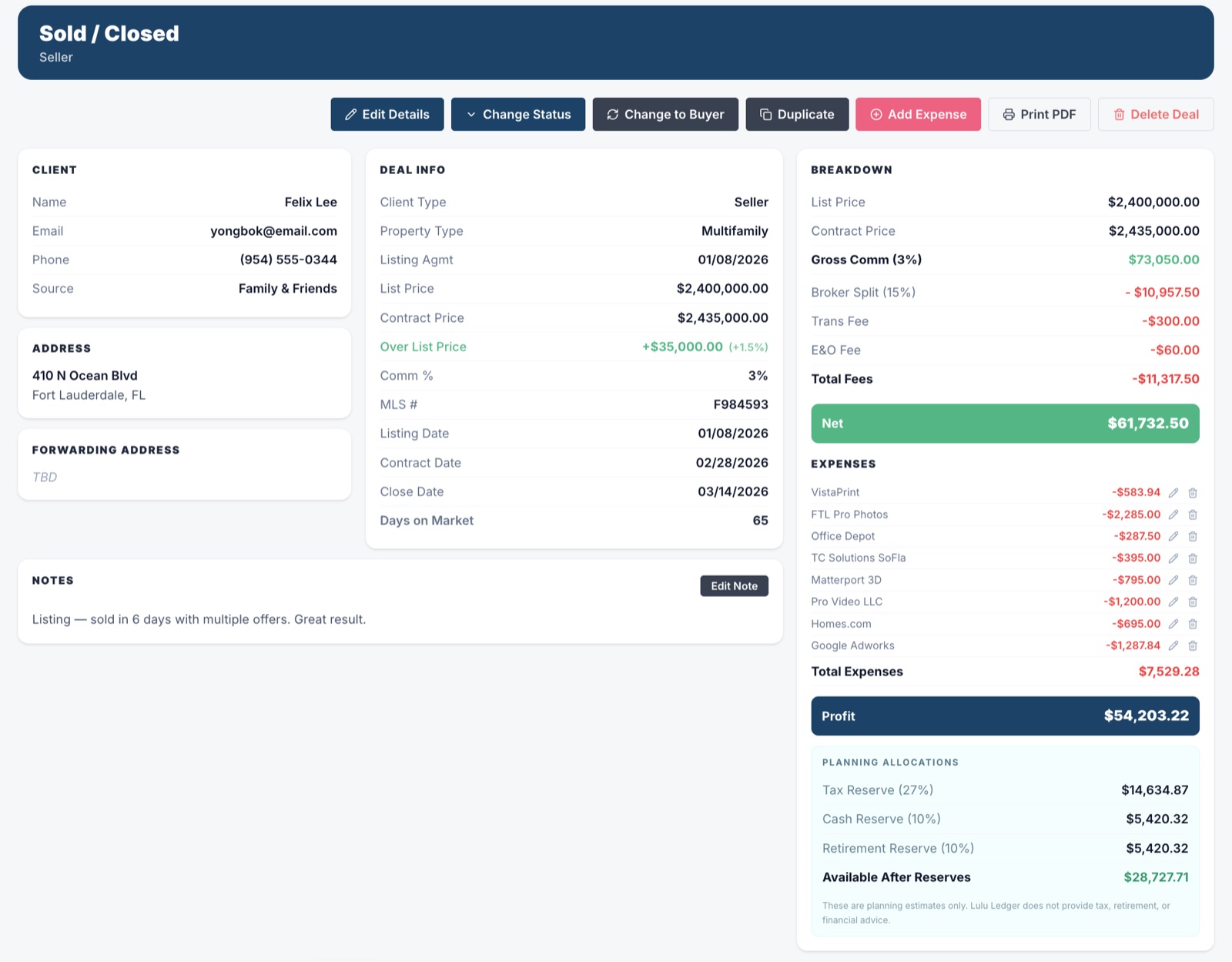
Lulu Ledger’s deal section is more than a transaction list. It keeps the client, contact information, notes, property details, status, dates, commission terms, income, and related costs connected in one workspace.
As the deal progresses, that information updates commission calculations, pipeline reporting, production, estimated taxes, goals, and performance insights. Instead of rebuilding the same story across separate tools, agents can see what is closing, what they may earn, what they may keep, and how the business is performing.
 DEALS · DEAL WORKSPACE · SOLD
 REPORTS · INSIGHTS · YEAR TO DATE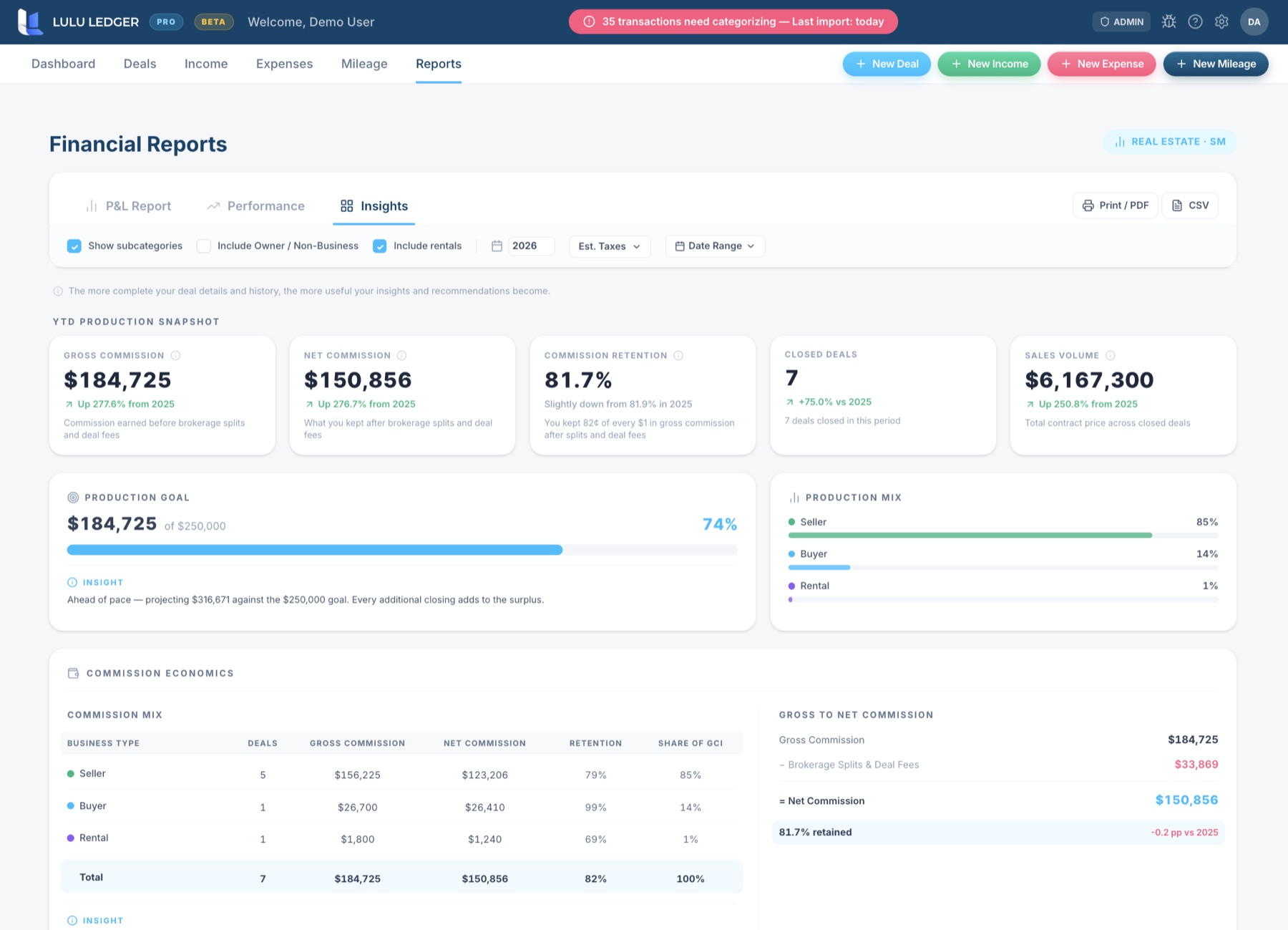
Lulu Ledger vs. QuickBooks: FAQ
Can I switch to Lulu Ledger from QuickBooks?
Yes. Lulu Ledger supports CSV imports for closed deals, income, and expenses. Export the records you need from QuickBooks, format them using Lulu Ledger’s import templates, and review the imported information before relying on reports. Because the products organize data differently, some QuickBooks records may not map directly to Lulu Ledger.
Does Lulu Ledger replace QuickBooks?
For many solo agents who primarily use QuickBooks to track commissions, income, expenses, receipts, mileage, and tax-time reports, Lulu Ledger may replace that workflow. It is not a replacement for full accrual accounting, payroll, inventory, or other broader QuickBooks functions. Ask your accountant which records and accounting method your business requires.
Does QuickBooks calculate real estate commissions and brokerage splits?
QuickBooks Online does not include a built-in sales-commission calculation feature or a real estate deal workflow. Commission rates, brokerage splits, referral fees, and related calculations must be managed through a separate process, customization, or another tool. Lulu Ledger calculates commission breakdowns as part of the deal record.
How do pricing and free access compare?
Lulu Ledger offers Founder pricing of $14.99 per month or $149 per year, with a 14-day free trial that requires a payment method and charges $0 at signup.
QuickBooks offers a limited Free plan. QuickBooks Lite is $20 per month at regular pricing, while QuickBooks Online plans range from $38 to $340 per month at regular pricing. Temporary promotions and trial options may change.
At $14.99 per month, Lulu Ledger’s Founder price is lower than QuickBooks Lite’s $20 per month at regular pricing. The meaningful difference is the workflow: Lulu Ledger is built around real estate deals, commission calculations, brokerage economics, deal expenses, mileage, production goals, and business performance.
Research note: This comparison is based on publicly available product and pricing information. Features, pricing, and offers may change. Confirm current details directly with QuickBooks.
The fastest comparison is trying it.
Full product, free for 14 days. Use your own deals, your own numbers, and your own workflow.