Lulu Ledger vs. Spreadsheets
A spreadsheet can track almost anything if you are willing to build and maintain it. Lulu Ledger gives you the real estate financial system already built.

Who should choose each approach?
Choose Lulu Ledger if…
Choose Spreadsheets if…
Three questions decide it.
The same three lenses we apply to every tool—including our own.
Capability or maintenance?
Lulu Ledger
Lulu Ledger already understands deals, commission structures, brokerage deductions, expenses, receipts, mileage records, and reports.
Spreadsheets
A spreadsheet can model all of those things, but the user must design, connect, test, and maintain the system.
What happens when the business changes?
Lulu Ledger
The application supplies a consistent data structure and updates connected reports as records are added or changed.
Spreadsheets
New categories, commission arrangements, years, reports, or collaborators may require new formulas, tabs, validation, and quality-control work.
Which is more flexible?
Lulu Ledger
Lulu Ledger trades unlimited customization for an opinionated workflow designed for real estate agents.
Spreadsheets
Spreadsheets win on blank-slate flexibility, custom modeling, and control.
Lulu Ledger vs. a spreadsheet, row by row.
The better choice depends on whether you want a system already built or complete control over one you build yourself.
| Capability | Lulu Ledger | Spreadsheets |
|---|---|---|
| Real estate structure | ✓ Deal, commission, split, fee, expense, receipt, mileage, and reporting structure is built in | User designs the workbook, fields, tabs, and relationships |
| Deal pipeline | ✓ Built in | ✕ Must be created and maintained |
| Commission calculations | ✓ Built into each deal | ✕ Requires formulas and manual quality control |
| Bank connections | ✓ Read-only transaction imports through Plaid | ✕ Usually requires manual imports or a separate integration |
| Categorization | ✓ User review with reusable category rules | ✕ Manual categorization or custom formulas/scripts |
| Receipt matching | ✓ Uploads with suggested transaction matches | ✕ Requires a separate storage and linking process |
| Mileage | ✓ Built-in trip records and automatic application of the appropriate IRS rate | ✕ Requires a log and formulas created by the user |
| Reports and dashboards | ✓ Built-in P&L, Performance, and Insights | ✕ Pivot tables, formulas, charts, and dashboards must be built and maintained |
| Customization | ✕ Purposefully constrained around Lulu Ledger’s workflow | ✓ Nearly unlimited |
| Collaboration and version history | One application and data model | ✓ Strong in cloud spreadsheets such as Google Sheets |
| Setup and upkeep | Product setup plus ongoing transaction and deal review | Initial workbook design plus ongoing formula, import, structure, and error maintenance |
| Cost | Founder pricing: $14.99/month or $149/year | ✓ Can be free or already included in an office-software subscription |
| Best fit | Agents who want a connected system already built | Agents who prefer complete control and are comfortable maintaining it |
A ✕ in Lulu Ledger’s column is deliberate: it marks things Lulu Ledger intentionally doesn’t do. No tool should win every row of its own comparison.
“Spreadsheets” here means Excel or Google Sheets used as a do-it-yourself bookkeeping system. Capabilities vary by platform and by how the workbook is built.
Enter the deal once. Understand the entire business.
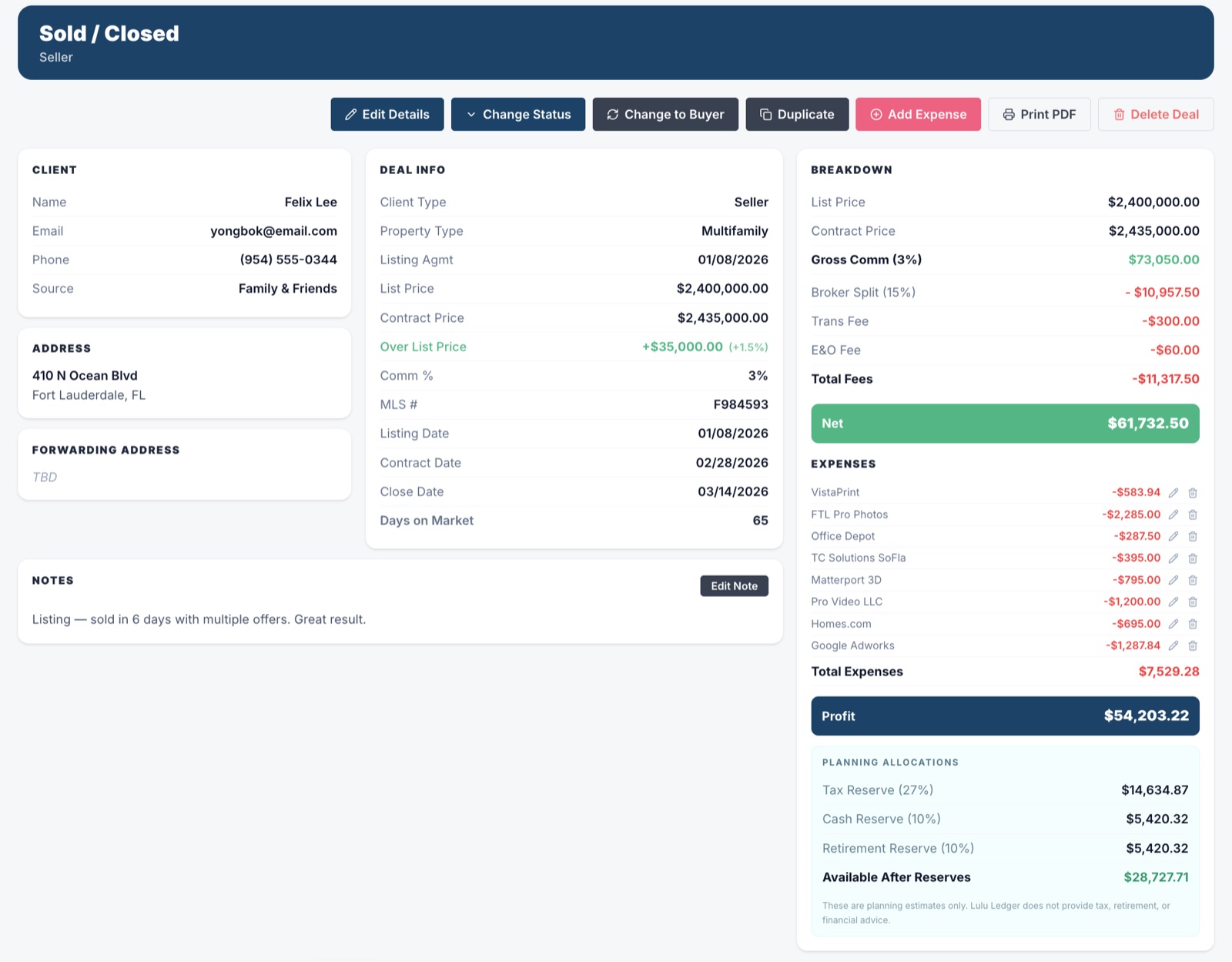
Lulu Ledger’s deal section is more than a transaction list. It keeps the client, contact information, notes, property details, status, dates, commission terms, income, and related costs connected in one workspace.
As the deal progresses, that information updates commission calculations, pipeline reporting, production, estimated taxes, goals, and performance insights. Instead of rebuilding the same story across separate tools, agents can see what is closing, what they may earn, what they may keep, and how the business is performing.
 DEALS · DEAL WORKSPACE · SOLD
 REPORTS · INSIGHTS · YEAR TO DATE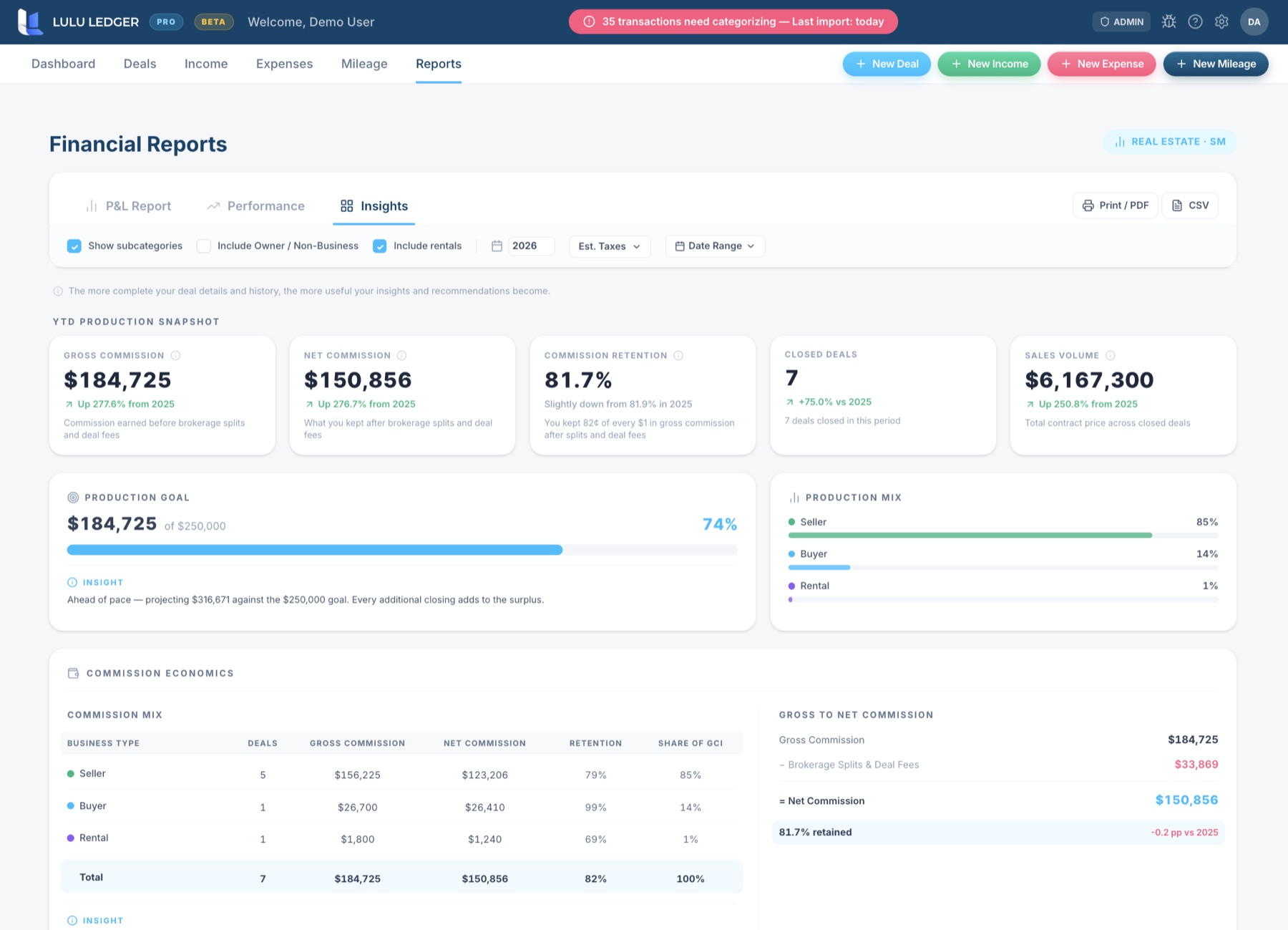
Lulu Ledger vs. spreadsheets: FAQ
Can I use Excel or Google Sheets for real estate bookkeeping?
Yes. A well-designed spreadsheet can track income, expenses, deals, commissions, mileage, and other business information. Its usefulness depends on the structure, formulas, data-entry discipline, backups, and maintenance behind it.
Can a spreadsheet calculate commissions and brokerage splits?
Yes. Those calculations can be built with formulas. Lulu Ledger provides the fields and calculations within each deal so the agent does not need to design and maintain that system independently.
Is a spreadsheet cheaper than Lulu Ledger?
It can be. Google Sheets can be used with a free Google Account, and many people already pay for Excel. The tradeoff is the time and responsibility required to build, update, verify, and maintain the bookkeeping system.
When should an agent move from a spreadsheet to software?
Software becomes more useful when manual imports, repeated data entry, broken formulas, missing receipts, disconnected deal records, or year-end cleanup begin consuming more time than the flexibility of the spreadsheet is worth.
What does Lulu Ledger provide that a spreadsheet does not?
Lulu Ledger provides a connected product workflow: read-only bank imports, category rules, receipt matching, deal and commission calculations, mileage records with the applicable IRS rate, and built-in reports and insights. Similar capabilities can be constructed in a spreadsheet, but they are not inherent to the blank workbook.
Research note: Spreadsheet capabilities vary by platform and by how the spreadsheet is built. This comparison focuses on the practical differences between maintaining a DIY spreadsheet system and using Lulu Ledger.
The fastest comparison is trying it.
Full product, free for 14 days. Your own deals, your own numbers.