Spreadsheet or Bookkeeping Software? When Real Estate Agents Should Switch
There's no magic deal count for switching. Here's how to tell when a spreadsheet costs more time than dedicated bookkeeping software for real estate agents.

Quick answer
There's no universal deal count or income level where a spreadsheet "stops working" — it depends on how much manual reconciliation you're doing and how much you trust the numbers you're looking at. The clearest signal is time and confidence: if you're spending hours each month re-entering bank transactions, hunting for receipts, or manually recalculating splits and fees per deal, and you still aren't sure your profit and loss numbers are right, that's the point where dedicated bookkeeping software usually pays for itself.
Most agents start with a spreadsheet, and for good reason — it's free, flexible, and does the job when your business is simple. The question isn't whether a spreadsheet can work. It's whether it's still the best use of your time, and whether you can actually trust what it's telling you.
What a spreadsheet does well (and why most agents start there)
A spreadsheet is genuinely fine for a lot of agents, especially early on. It's free, you control the layout completely, and for a handful of deals a year with straightforward expenses, it can give you an accurate enough picture with very little setup.
The strength of a spreadsheet is also its limit: it does exactly what you tell it to, and nothing more. It won't flag a missing entry, connect a bank transaction to the deal it belongs to, or catch a formula that quietly broke three rows up. It's a tool for recording what you already know — not one that helps you notice what you don't.
The specific breaking points
The friction usually shows up in a few predictable places as a business grows past the basics:
- Manual bank entry. Every transaction gets typed in by hand, which means every transaction is also an opportunity to mistype, skip, or duplicate an entry.
- Deal-level complexity. Once you're juggling multiple active deals with different brokerage splits, transaction fees, or referral arrangements, tracking each deal's real profitability in a flat spreadsheet means either building increasingly complicated formulas or doing that math by hand, deal by deal.
- Receipts scattered across devices. A photo on your phone, an email attachment, a paper receipt in the car — a spreadsheet doesn't capture any of that; you still need a separate system (or no system) to hold onto the documentation itself.
- Formula drift. A dragged cell reference, an accidentally overwritten formula, a copy-pasted row that didn't update — spreadsheet errors are usually silent. You don't find out something's wrong until the totals look off, and by then you may not remember which month it started.
- No single source of truth. When your commission tracking, expense tracking, and mileage log live in three different tabs (or three different files), producing one clean profit and loss picture means manually pulling all three together, every time you want to look.
None of these mean you're doing anything wrong. They're just the natural ceiling of a tool built for general-purpose calculation, not for real estate-specific bookkeeping.
Why this is a recordkeeping question, not just a convenience one
It's tempting to treat this as purely a time-management decision, but there's a recordkeeping dimension too. The IRS's general guidance is that you can use any recordkeeping system that "clearly shows your income and expenses," and that you need to keep records as long as they're needed to support the items on your tax return (IRS, Recordkeeping). A spreadsheet can satisfy that in principle — but only if it's actually complete, accurate, and backed by the documentation (receipts, statements) that supports what it says. A spreadsheet with gaps, silent formula errors, or missing receipts doesn't meet that bar any better than no system at all; it just looks like it does.
That's the real risk of outgrowing a spreadsheet without switching: not that the spreadsheet itself is against the rules, but that the errors and gaps that creep in over time make it harder to actually support what you're claiming when it matters.
The switch from a spreadsheet to software changes how the data gets captured and organized — it doesn't change who's responsible for making sure it's right.
— Scott Morreau, Realtor & Founder, Lulu Ledger
What dedicated software actually replaces — and what it doesn't
Bookkeeping software built for the job automates the parts of this that are purely mechanical: syncing bank and card transactions instead of retyping them, capturing and matching receipts as you go, and connecting each deal's commission to its own split, fees, and expenses so a per-deal or overall profit and loss report is something you can pull up rather than something you have to build.
What it doesn't do is replace judgment. Software can categorize a transaction and show you a report; it can't tell you whether a specific expense is "ordinary and necessary" for your business in the IRS's sense, and it doesn't file your taxes or substitute for a CPA reviewing your actual return.
How to make the call for your own business
Rather than a hard rule, use a short gut check:
- Do you know, right now, what your net profit was last month — not your GCI, your actual profit after splits and expenses — without opening three files and doing math?
- Have you ever skipped logging an expense or a mile because it felt like too much friction in the moment?
- Have you found an error in your spreadsheet in the last year that you didn't catch until much later?
- Are you the only person who understands how your spreadsheet is built, such that if you got busy for a month, it would fall behind?
If you answered yes to more than one of those, the time you're spending maintaining the spreadsheet is probably costing you more than a dedicated tool would. If you answered no across the board, there's no rule that says you have to switch — a system that's actually working for you doesn't need replacing just because a more automated one exists.
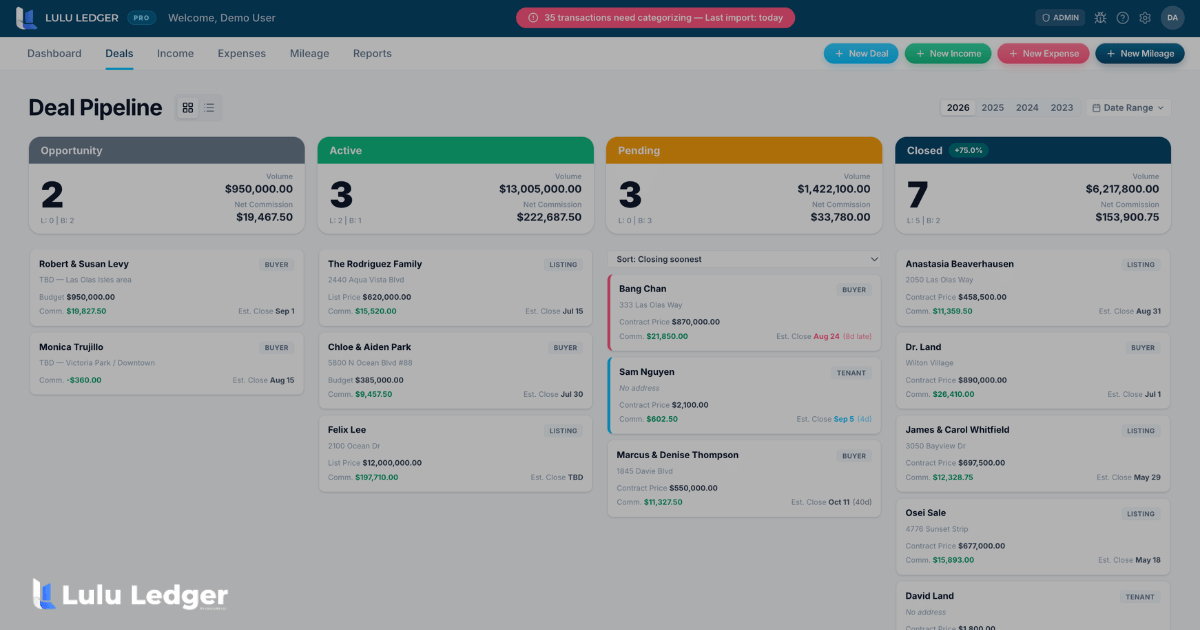
Lulu Ledger connects each deal's commission, split, and fees to your income and expenses automatically, with read-only bank and card sync so transactions don't have to be typed in by hand, and reports that show your P&L without you having to assemble it yourself. If the checklist above sounds familiar, Lulu Ledger offers a 14-day free trial (a payment method is required, and you won't be charged until the trial ends).
Sources / References
- IRS, Recordkeeping (Small Businesses/Self-Employed) — general recordkeeping standard ("any system that clearly shows your income and expenses") and retention guidance: irs.gov/recordkeeping
- Lulu Ledger product pages (verified live during this run, September 21, 2026): lululedger.com and lululedger.com/pricing
This article is for general educational purposes and isn't tax, accounting, or legal advice. Whether a specific expense is deductible depends on your facts and circumstances — talk to your CPA or tax preparer about your own situation.
Is a spreadsheet good enough for a brand-new agent?
Often, yes. If you have a small number of deals and straightforward expenses, a well-built spreadsheet can give you an accurate picture with minimal setup. The friction tends to show up as deal volume, split complexity, or the sheer number of expense categories grows.
What's the real cost of a spreadsheet error?
It depends on what the error affects — a miscategorized expense is a minor annoyance, while a silent formula error that's been off for months can mean you've been working from an inaccurate profit and loss picture without knowing it. The cost isn't the error itself; it's not finding out until much later.
Does bookkeeping software replace my CPA?
No. Software can automate categorization, bank sync, and reporting, but it doesn't evaluate whether a specific expense is deductible under IRS rules or file your tax return. A CPA or tax preparer still reviews your actual filing.
Can I keep using a spreadsheet alongside software?
Some agents do, especially during a transition period. The tradeoff is that maintaining two systems means reconciling them against each other, which can reintroduce the exact manual-entry burden you're trying to get away from.
How much time does switching actually save?
That depends entirely on your current volume and how manual your process is today. The more manual re-entry and reconciliation you're doing now, the more there is to automate.
Will software automatically categorize every expense correctly?
Automatic categorization is typically rules-based, matching transactions to categories you set up, not something that guesses intent. It reduces manual entry, but you still review and confirm categorization.
Keep reading


Reading about it is good. Seeing yours is better.
Full product, free for 14 days. Set up in about 10 minutes.